AUv3 · iOS 17 · iPhone and iPad

Sing something. It plays the note.

Hum is a Plugin that sits on a vocal channel in your Host, listens to your Voice and sends out MIDI. Any instrument you point it at plays what you sing, about 20 ms after you sing it. I made it because I wanted to play synths with my mouth at gigs and nothing I tried was fast enough to feel like an instrument.

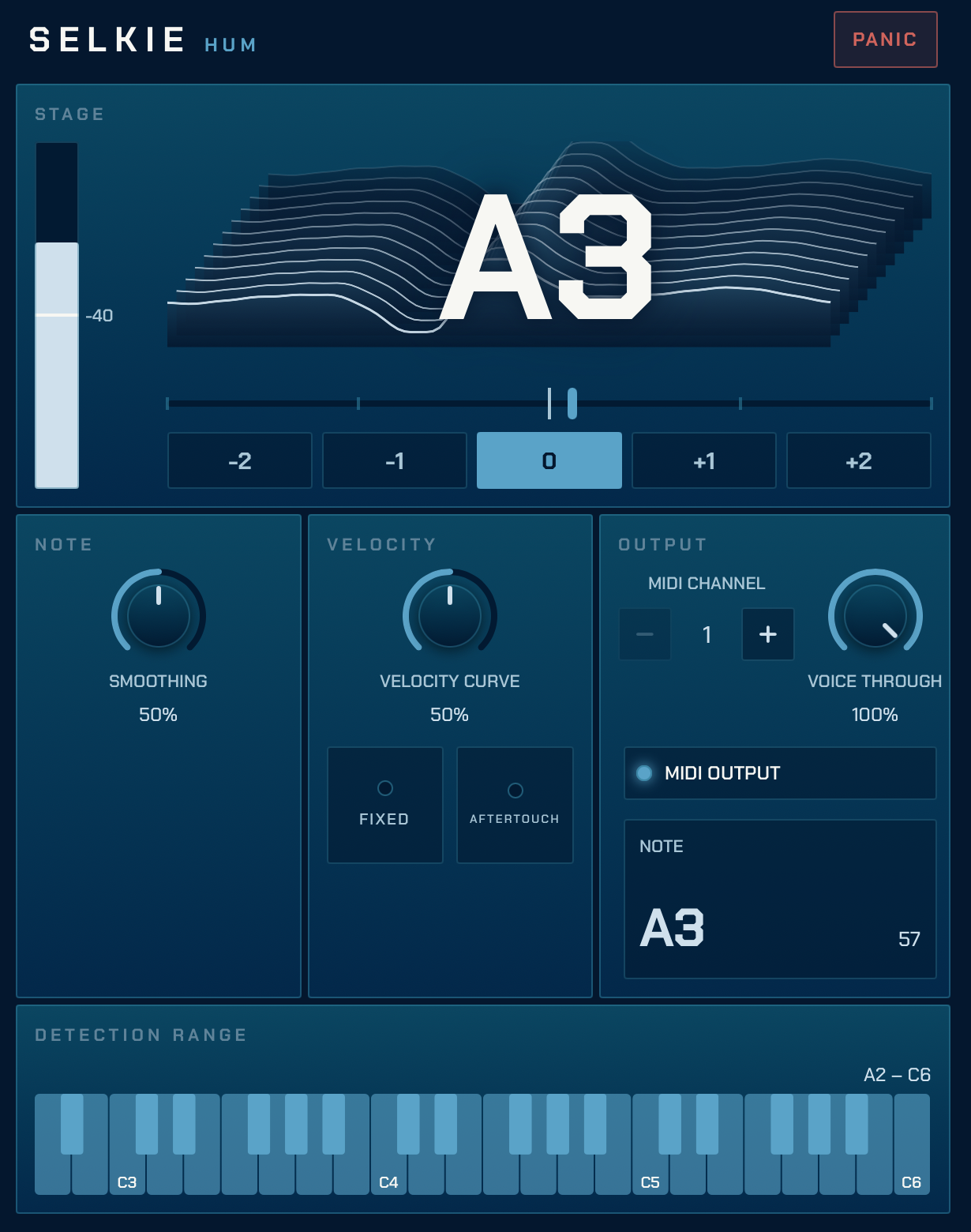
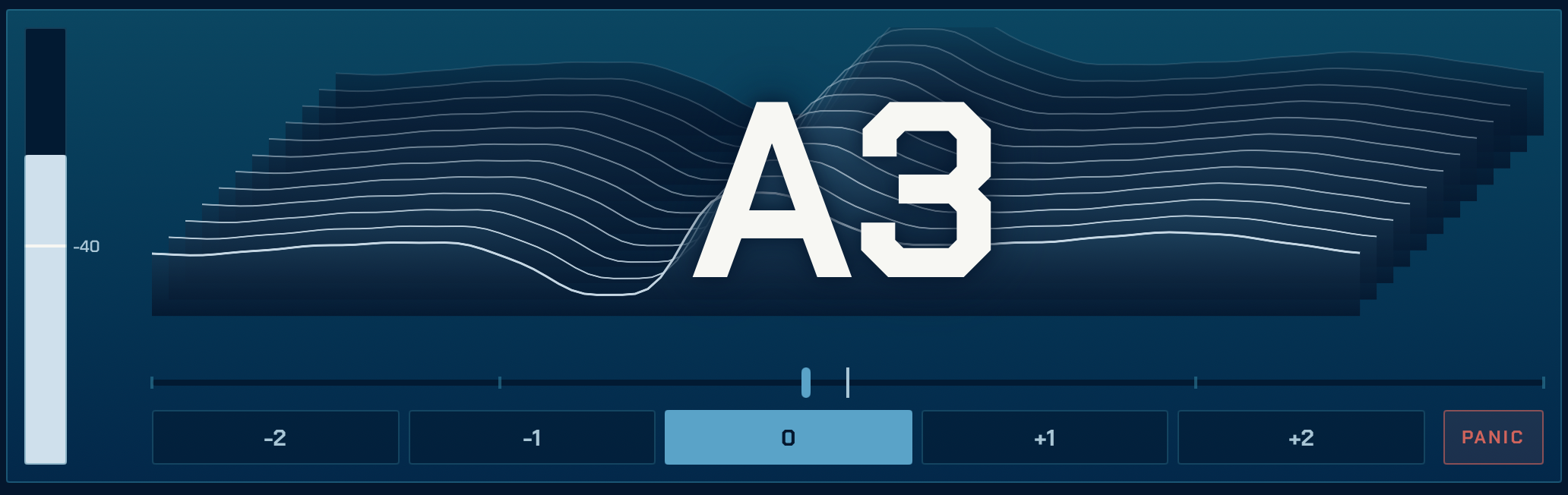
Selkie Hum's Stage view: a level meter with the Gate marked, a waterfall of the Voice behind the note A3, a cents needle, Octave Shift buttons and a Panic button
What it is

Two views. One knob you'll actually touch.

The Host decides how big the window is. Hum decides what fits in it.

Stage view

What you need mid-song, big.

When the Host gives Hum a small window, you get the Note as you sang it, how sharp or flat you are, your level against the Gate, Octave Shift and Panic. Nothing else. It's meant to be read from a metre away with a mic in your hand.

The Stage view
Setup view

Everything else, below.

Give it a taller window and the rest appears underneath: Smoothing, Velocity, Aftertouch, MIDI channel, Voice Through, Range. Set them once at soundcheck and go back to the small window.

The Setup view, the Stage view with every control below it
Scope

You can see your voice.

Behind the Note is a waterfall of the last dozen cycles of your Voice, one period each. It's not there to be measured, it's there so you can tell at a glance whether it's hearing you, and it looks nice.

The Scope, a waterfall of the Voice behind the note A3
How it works

The controls, and what they're for.

There aren't many. Each one is there because I needed it at a gig.

01 · Gate and Smoothing

Tell it what counts as singing.

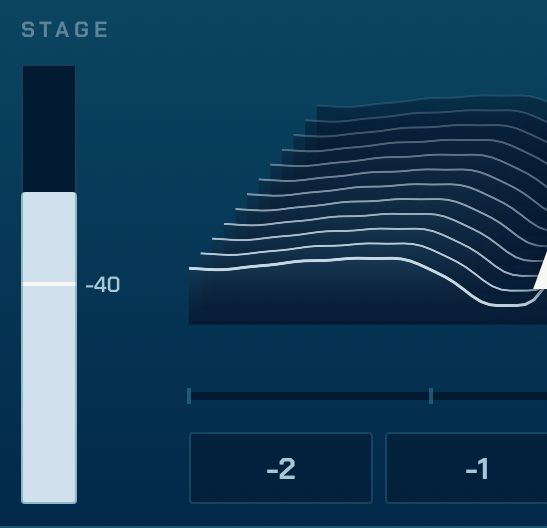
The Gate is the level below which Hum treats your Voice as silence. Drag it on the meter so the room and the drummer don't start notes. Smoothing is how sure Hum has to be before it changes its mind about the Note: turn it up for fewer wrong notes, down for less delay.

The level meter with the Gate marked at -40, next to the Scope
02 · Range and Octave Shift

Sing where you're comfortable. Play where you're not.

The Range is the lowest and highest Notes Hum will ever send, on a piano strip. Out of the box it's A2 to C6. Narrower is faster, so if you don't sing low, don't let it listen low.

Octave Shift moves every Note up or down whole octaves before it leaves. Hum a bass line without being a bass.

The Range as a piano strip, A2 to C6
The cents needle and the Octave Shift buttons, -2 to +2
03 · Velocity and Aftertouch

How hard you sang it.

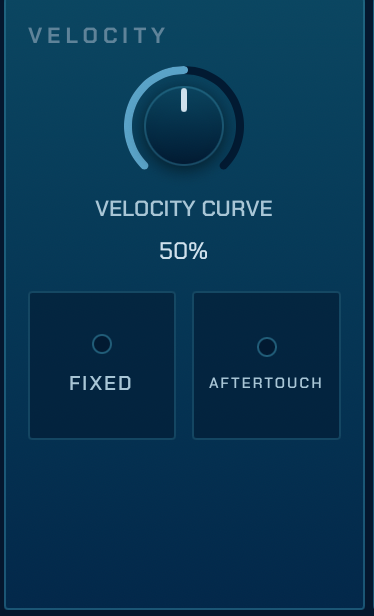
By default a Note's velocity comes from how loud you were when it started, shaped by the Velocity Curve. Flip to Fixed and every Note leaves at full velocity, which some instruments prefer.

Aftertouch sends your level while the Note is held, as Channel Pressure. Swell into a pad by singing louder.

The Velocity panel: Velocity Curve knob, Fixed and Aftertouch switches
04 · Output

Where the notes go, and whether your voice comes with them.

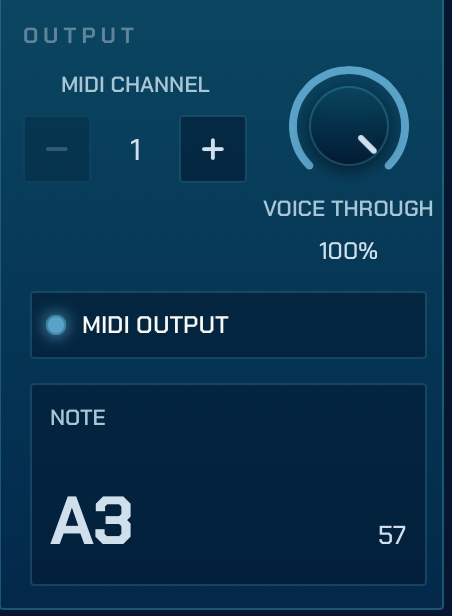
Pick the MIDI channel. Voice Through is how much of your actual Voice carries on out of the Plugin, from none to all, so Hum can sit on the vocal channel without eating it. MIDI Output is the switch for whether Notes leave at all; off, it still listens and shows you the Note.

And there's Panic, on both views, because there's always one stuck note at the worst possible time.

The Output panel: MIDI channel, Voice Through, MIDI Output switch and the current Note
Being honest

What it doesn't do.

I'd rather you knew before you paid for it.

  • It's monophonic. One Voice, one Note at a time. That's what a voice is.
  • No pitch bend or legato between Notes. Each Note ends before the next starts.
  • No factory presets. There's not much to preset; your Host will save what you set.
  • iOS only for now. No Mac version yet.
  • It's about 20 ms behind you across the default Range. Lower Notes take a little longer if you widen the Range to reach them, because low notes are just long.
FAQ

Things people ask.

Does it work in my DAW?
If your Host loads AUv3 effects on an audio channel and takes MIDI from them, yes. I use it in Loopy Pro and AUM and those are the two I test in. It's an effect unit (it sits on your vocal channel), so look for it wherever your Host lists effects, then route its MIDI out to an instrument.
How fast is it, really?
About 20 ms from the start of a note in your Voice to the MIDI Note-on, at the default Range. I measure it on a synthetic voice in the tests, and it feels like an instrument on stage. Narrowing the Range from the bottom makes it faster.
Why one note at a time?
Because you sing one note at a time. If you want chords, send the MIDI to something that makes chords out of single notes; your Host probably has one.
Does it need the internet, or an account?
No. It never makes a network request and there's nothing to sign in to. It doesn't keep your audio either; it hears the Voice, sends the Note, and that's the end of it. The privacy page is short.
iPhone or iPad?
Both, iOS 17 or later. The Stage view is built for the small windows Hosts give you on a phone.
How much?
$2.99, once. The App Store shows it in your own currency, so it'll differ a bit by country.
Get it

Go and sing at something.

Get it on the App Store

$2.99, one off. Priced in your local currency on the App Store.

Questions? hello@dykewerk.app