AUv3 plugin and app · iOS 17 · iPhone and iPad · in development

Beatbox, and Beats plays the drums

Beats listens to you beatbox and turns each Hit into a MIDI drum Note: kick, snare, closed hat or open hat. As a Plugin it sits on a vocal channel in your Host and plays whatever drum plugin you point it at. As an app it's a MIDI source for drum apps or a Bluetooth drum machine. It's the second Selkie plugin, after Hum, made so I can play drums with my mouth at the same gigs.

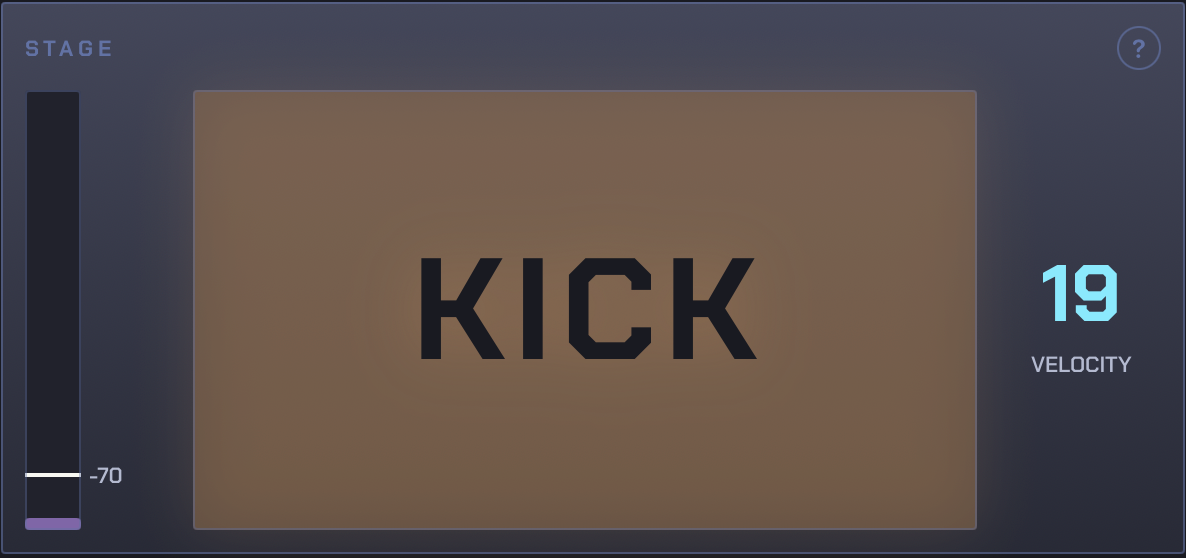
Selkie Beats' Stage panel: the level meter with the Gate at -70, the lamp naming a Kick, and its velocity, 19
What it is

Four Sounds

Beats knows a Kick, a Snare, a Closed Hat and an Open Hat. Each Hit plays whichever of them it sounds closest to, at a velocity from how hard you hit it. A Hit that sounds like none of them plays nothing.

Stage

What it heard

The meter shows how loud you are, and the line across it is the Gate: below it, nothing counts as a Hit. The lamp names each Hit as it lands, brighter the harder you hit, with the velocity beside it. A dash means Beats heard something that wasn't one of the four.

The Stage panel
Kit

Your Sounds, on your mic

It comes with my Starter Kit, taught on my stage mic. Your mouth and your mic sound different, so the first thing to do is teach it yours. It takes about a minute and stays taught on that device.

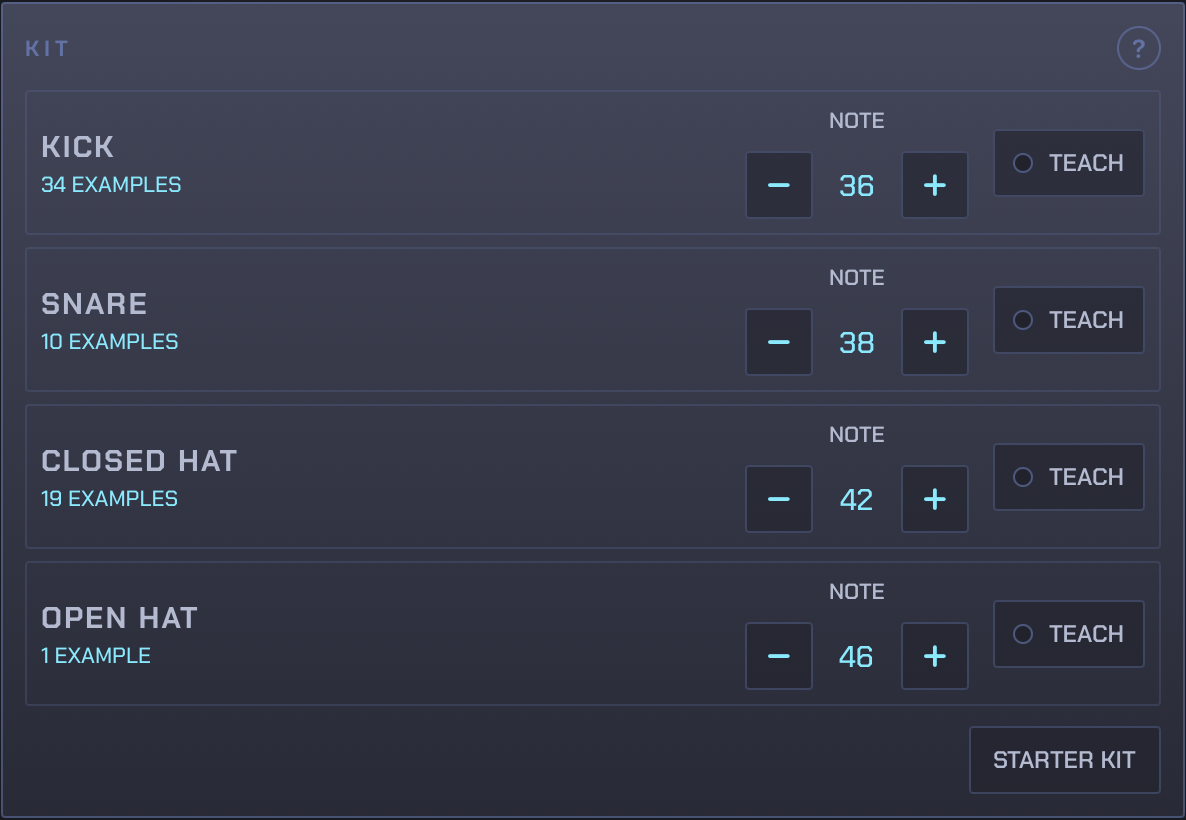
The Kit panel: Kick, Snare, Closed Hat and Open Hat, each with its Examples, its Note and a Teach button
Setup view

The rest, underneath

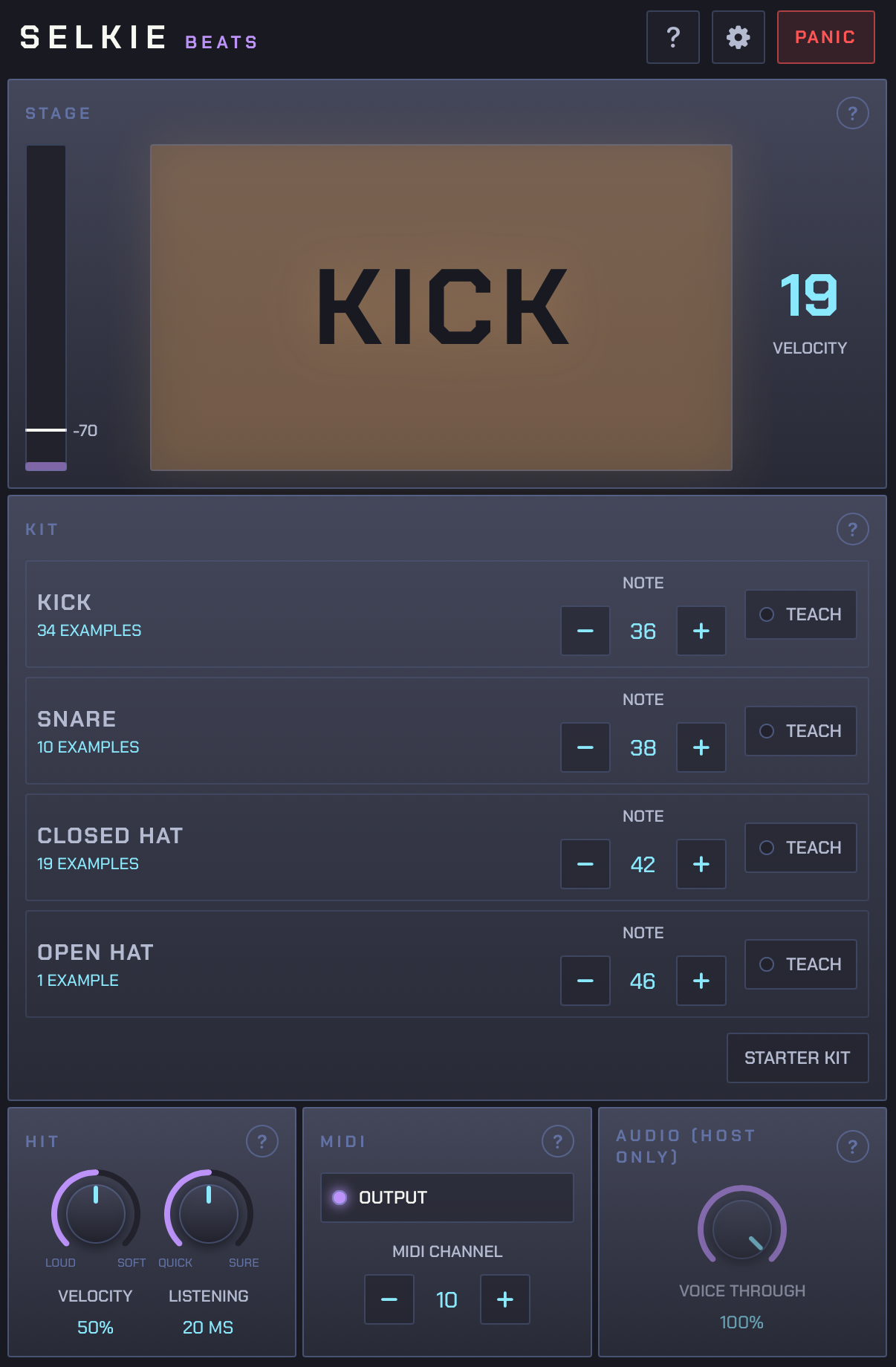
Give it a taller window and the Kit, Listening, Velocity, MIDI and Voice Through controls appear under the Stage. Each panel has a question mark that explains it.

The Setup view: the Stage, the Kit, and the Hit, MIDI and Audio panels
How it works

The controls

Most of them work the same way as in Hum.

01 · Teaching

Teach it your Sounds

Tap Teach beside a Sound, then make it about eight times, loud and soft, the way you'd play it. Each one becomes a numbered Example; if one was a cough or the wrong Sound, tap it to take it out. Nothing plays while you teach. Teach on the mic you'll play on, because another mic hears the same mouth differently.

Note is the drum each Sound plays. They start on the General MIDI kick, snare, closed hat and open hat: 36, 38, 42 and 46. Starter Kit puts mine back and drops what you taught.

The Kit panel with the Examples taught for each Sound
02 · Listening and Velocity

How sure, and how loud

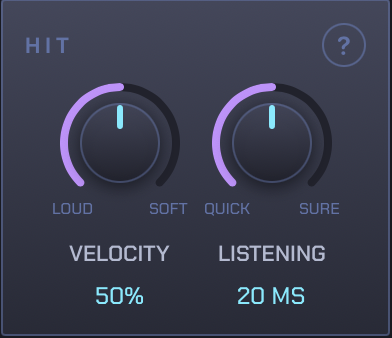
Listening is how long Beats hears a Hit before deciding which Sound it was, from Quick at 10 ms to Sure at 30. Quicker is more often wrong. 20 ms is where my Sounds stopped being mistaken for each other. An Open Hat is a Closed Hat that rings on, so once both hats are taught, Beats waits to hear how long a hat lasts and hats arrive a little later.

Velocity is how loud each Hit plays. At Fixed every Hit is full volume. Turn it up and quiet Hits play quietly; further up, it takes real force to get a loud one.

The Hit panel: Velocity at 50% and Listening at 20 ms
03 · MIDI and Audio

Where the drums go

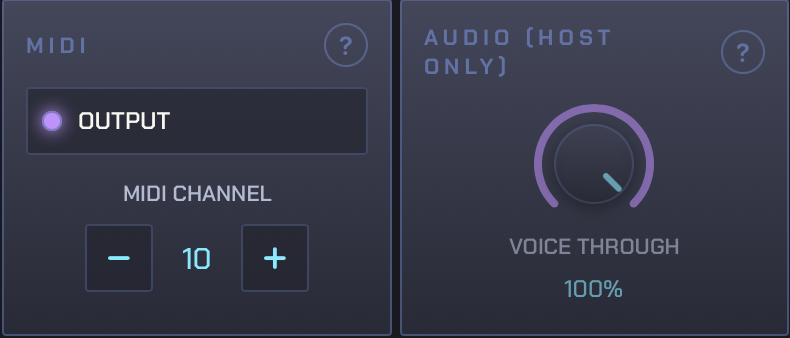
The MIDI channel starts on 10, the General MIDI drum channel, where most drum plugins listen. Output turns sending on and off. Voice Through sets how much of your voice carries on down the track, from none to all.

Panic tells the drum plugin to stop everything on the channel. It's a Host parameter too, so you can put it on a footswitch.

The MIDI panel with Output and MIDI channel 10, and the Audio panel with Voice Through
Limits

What it doesn't do yet

It's still being built. This is where it is now.

  • Four Sounds and one Kit. Named Kits, one per mic, come next.
  • It isn't instant. A Hit plays about 20 ms after it starts and an Open Hat about 80 ms after. Input quantise on a Loopy Pro MIDI clip takes that out of the recording.
  • It hasn't been tuned against talking or handling the mic yet, so some of that will play as one of the four.
  • It makes no sound. It needs a drum plugin or drum app on the other end.
  • iPad and iPhone only. No Mac version yet.
FAQ

Common questions

Do I have to teach it?
No, it comes with my Starter Kit. But a Kit belongs to a mic as much as a mouth. In my tests, a Kit taught on my stage mic heard nearly everything from another mic as a Snare, while a Kit taught on that other mic named all twelve of its test Hits right. Teaching your own takes about a minute.
How does it tell the Sounds apart?
By the Shape of each Hit's first few milliseconds, as long as Listening is set to: how its energy falls across the frequencies, and how bright it is. It plays the taught Sound whose Examples are nearest on average, and nothing if none is close enough. There's no neural network and nothing leaves the device.
Does it work in my DAW?
If your Host loads AUv3 effects on an audio channel and takes MIDI from them, it should. I use it in Loopy Pro. Put it on your vocal channel, after a noise gate if you have one, and route its MIDI to a drum plugin.
How do I get a tight loop out of it?
Record its MIDI into a Loopy Pro MIDI clip with input quantise on. That covers the few milliseconds Beats takes to decide what each Hit was.
Can I use it without a Host?
Yes. Open the app, then open a drum app and pick Selkie Beats as its MIDI input. Beats keeps listening in the background while the drum app is in front. A button at the top pairs a Bluetooth MIDI drum machine or synth. The app makes no sound of its own, so nothing feeds back into the microphone.
Does it need the internet, or an account?
No. It never makes a network request and there's nothing to sign in to. It doesn't record your audio either: an Example is kept as eight numbers describing its Shape, not as sound. The privacy page is short.
When's it out, and how much?
There's no date or price yet. It works on my iPad now. Named Kits come next, then tuning it against talking and mic noise, then the App Store.
Not out yet

Coming to the App Store

To hear when it's out, email hello@dykewerk.app